 Scan
ScanBML QR payments,
with the exact amount.
At checkout, your Odoo POS shows a BML QR for the order total — on the customer display, the cashier screen or the restaurant bill. The customer scans it in the BML app and the transfer opens with your account and the amount already filled in.
Free · Odoo 18 · Odoo.sh or self-hosted · Coming to the Odoo Apps store
Scan this with the BML app
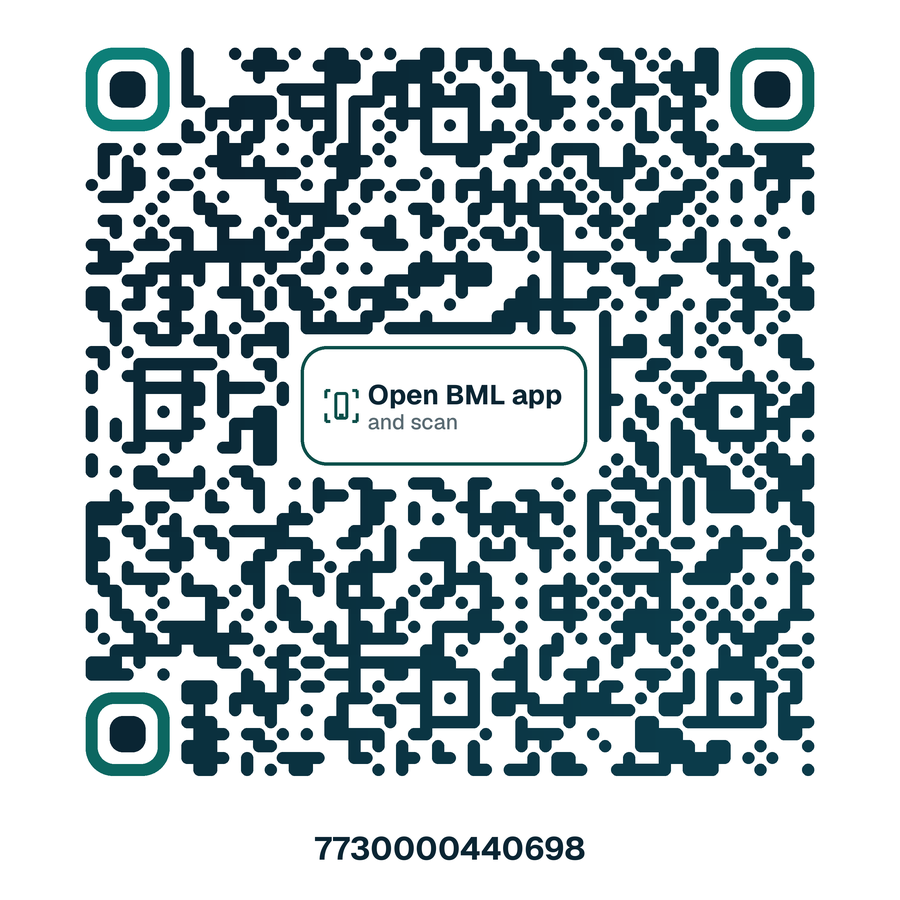
The transfer screen opens with the account and amount filled in — that is exactly what your customers will see. You don't have to send anything.
On your phone? Open this page on a computer and scan it from there.
Set up once. Then it's one tap at checkout.
ScanPay MV plugs into the "Bank App (QR Code)" payment method Odoo already has. No hardware, no payment gateway, no fees on your sales.
Add your BML account
Enter your BML account in Odoo and put it on a bank journal.
Create a "BML QR" payment method
Choose ScanPay MV — BML QR, decide where the QR shows, and add it to your shop.
Customer scans and pays
At checkout pick BML QR and press Send. The QR for the exact total appears; the money goes straight to your account.
Built for how Maldivian shops and restaurants actually take payment.
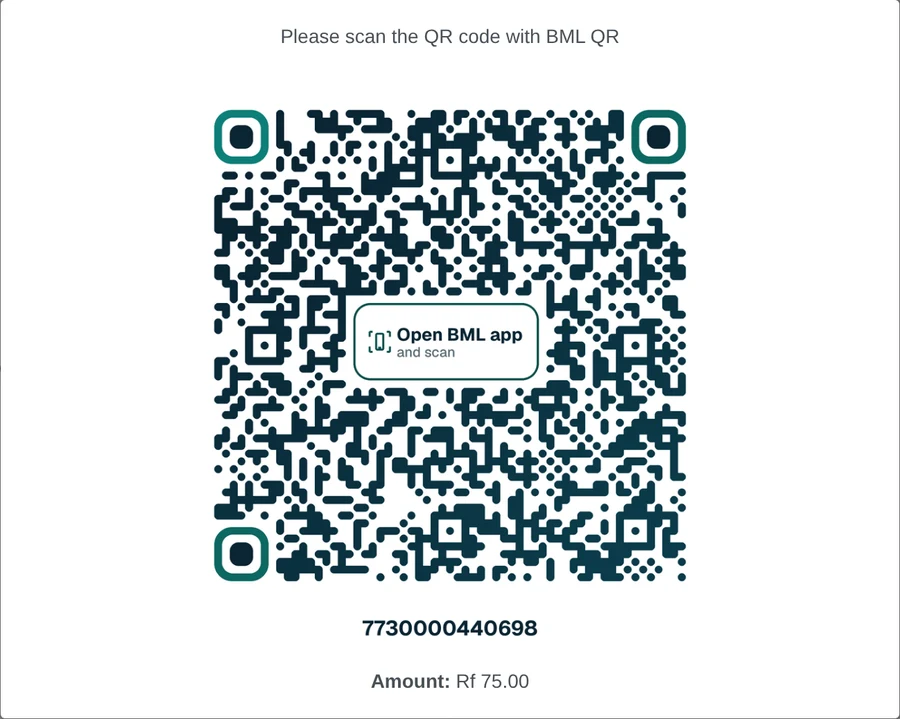
On the customer display, the cashier screen, or both
Choose per payment method where the QR appears. With a customer-facing screen the cashier never has to turn the till around.
- QR with the order total, generated at checkout
- Large and sharp on the customer display
- Falls back to the cashier screen if a shop has no customer display
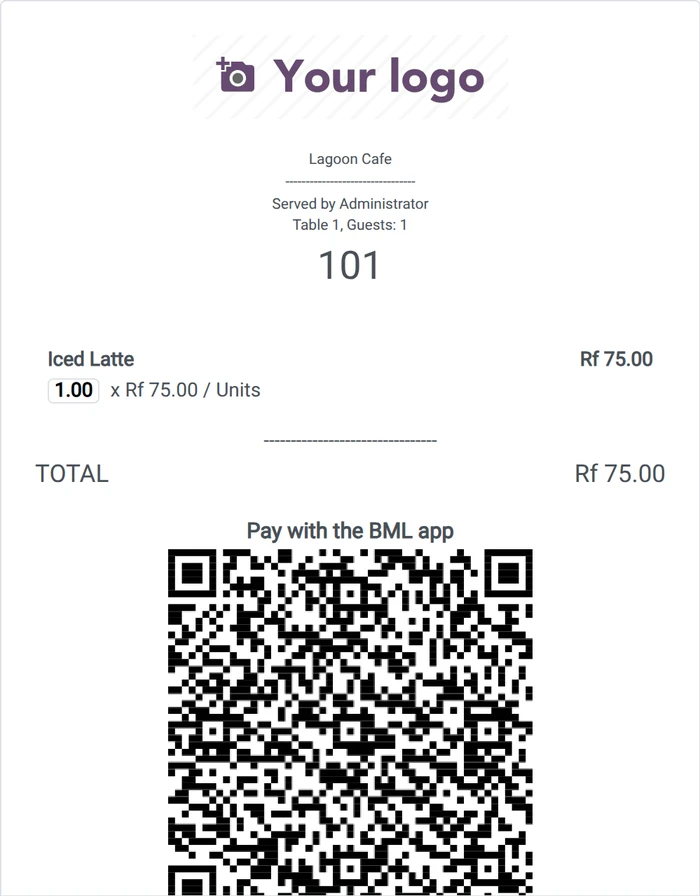
A BML QR printed on the bill
Guests pay at the table: the bill prints with a QR for the amount due. Printed in plain black and white so it scans from any thermal printer.
- Only on bills — never on paid receipts, so nobody pays twice
- Works on 58 mm and 80 mm receipt paper
- One switch in Point of Sale settings
Straight to your account
Customers transfer from their BML app to your BML account. ScanPay MV never touches the money.
Runs inside your Odoo
The QR is made by your own Odoo server. Payments keep working even if our service is down.
Invoices too
Odoo invoices and the customer portal show the same BML QR, with the invoice amount.
Designed or classic
A branded QR for screens, or a plain one if you prefer — per bank account.
Exact amount, every time
No typing amounts, no wrong digits, no "did you send 75 or 57?".
Your data stays yours
No sales or customer data ever leaves your Odoo. Registration is optional.
Free. Really.
The BML QR is free and stays free. Paid extras will come later for businesses that want more.
- BML QR at checkout with the exact amount
- Customer display or cashier screen
- QR on restaurant bills
- QR on invoices
- Automatic confirmation — the order is marked paid when the transfer arrives
- Branch reports for QR payments
- Pay links by WhatsApp or SMS
Questions
Which Odoo do I need?
Odoo 18 on Odoo.sh or self-hosted. Odoo Online (the odoo.com cloud plan) does not allow third-party add-ons, so ScanPay MV cannot be installed there.
Does the money go through ScanPay MV?
No. The customer sends a normal BML transfer from their app directly to your BML account. We never see or hold the money.
Is this an official Bank of Maldives product?
No. ScanPay MV is an independent product that works with the BML app. It is not affiliated with or endorsed by Bank of Maldives.
Does it work with other banks' apps?
Today, scanning works with the BML app. Other banks will be added when their apps can scan these QR codes.
How do I know the customer has paid?
Check the transfer notification in your BML app, then confirm the payment in Odoo. Automatic confirmation is planned for the Pro plan.
What does registration send?
Only the business name, email and phone you type, an anonymous database ID and version numbers. Never sales or customer data. Registration is optional — the QR works without it.